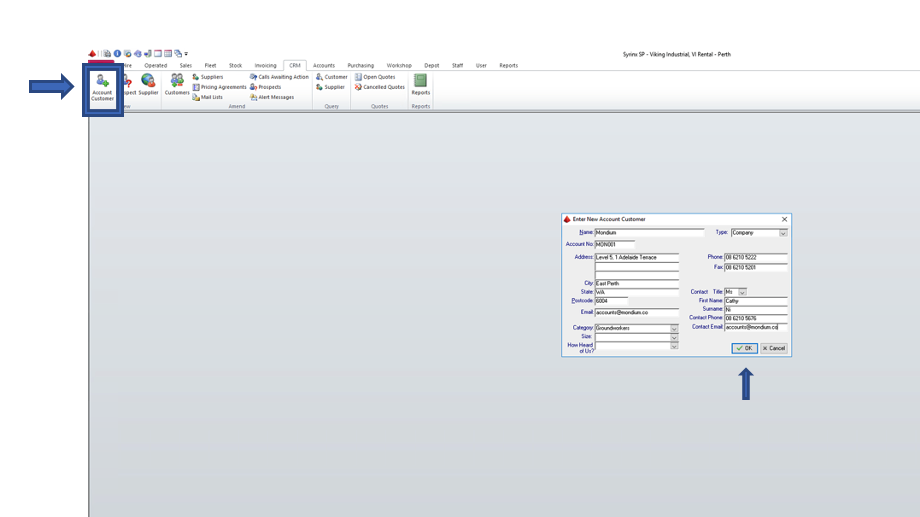
How To: Add a Customer in Syrinx Select "CRM" at the top of page. Select "Account Customer". Fill in all details and click "OK".*The contact is who the invoice goes to - please double check the email address is correct.
![White Full Logo.png]](https://portal.vikingindustrial.com.au/hs-fs/hubfs/White%20Full%20Logo.png?height=40&name=White%20Full%20Logo.png)